How to Apply for a MEPCO New Connection Online
You can apply for a new electricity connection in South Punjab online through the government’s Electricity New Connection (ENC) portal, or in person at a customer service centre. This guide lists the documents you need and walks through the online application and what happens after you apply.
Documents you need
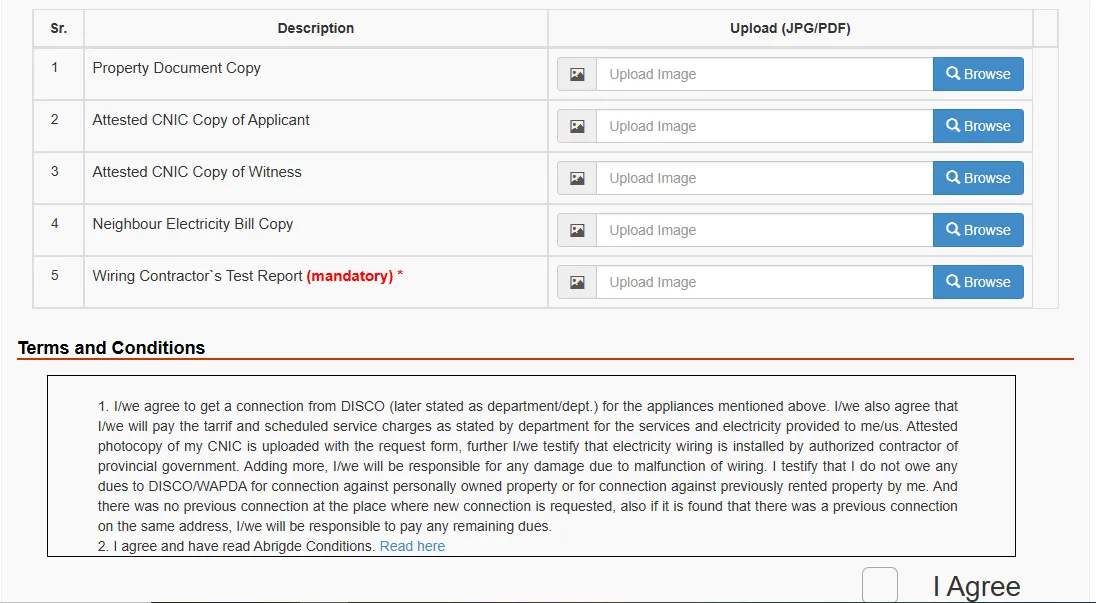
- Copy of the property ownership document (registry, allotment letter or similar)
- Copy of the applicant’s CNIC
- CNIC copies of two witnesses
- Reference number or bill of a nearby existing connection
- Wiring test report from a licensed electrical contractor
- For tenants: a no-objection certificate (NOC) from the owner, with the owner’s CNIC copy
Requirements can differ by connection type and load, so check the list shown on the portal when you apply.
How to apply online
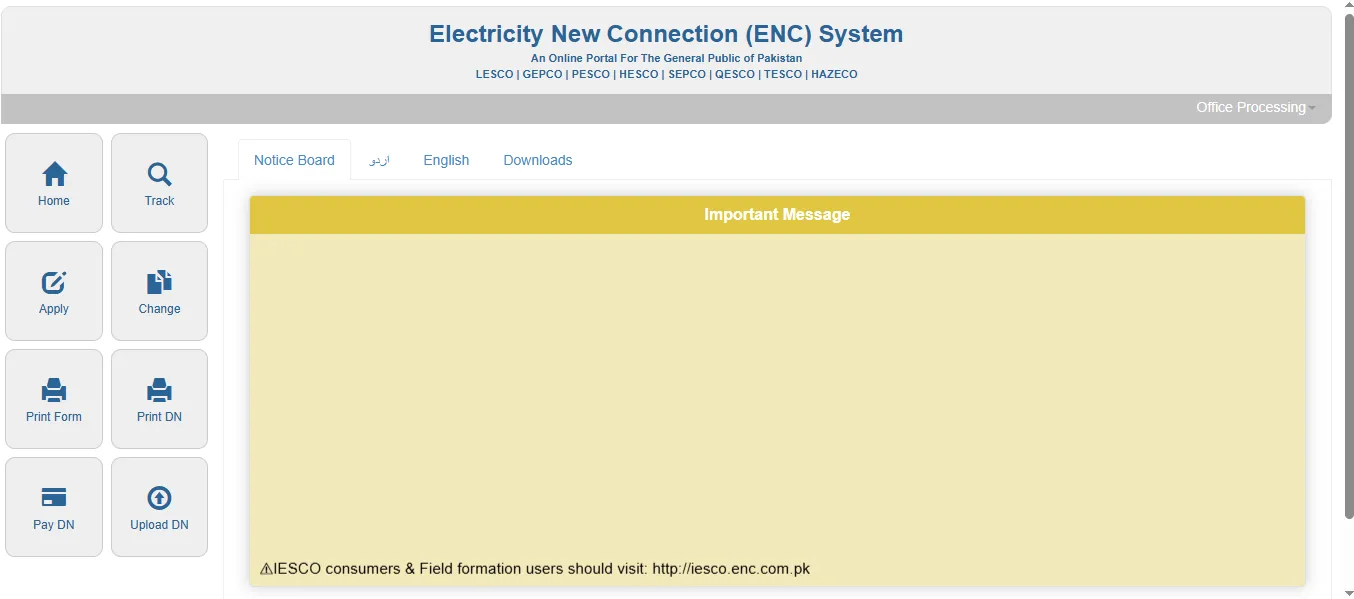
- Open the ENC portal (enc.com.pk) and choose to apply for a new connection.
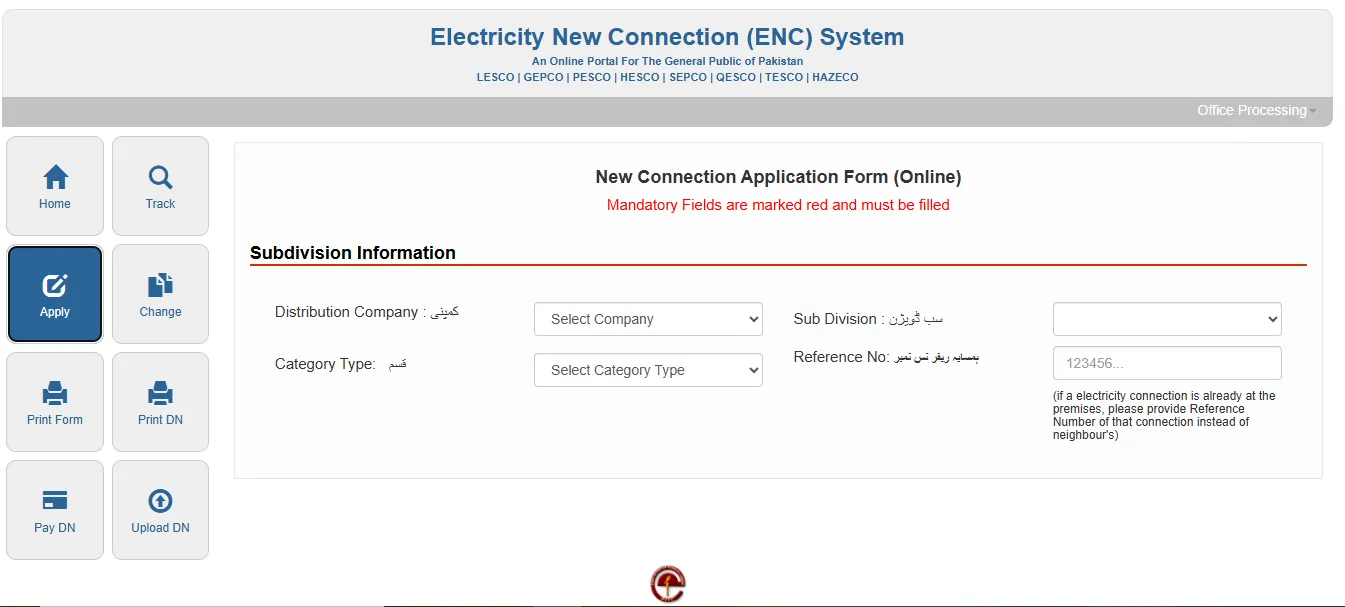
- Select MEPCO as the company, then your connection category and sub-division.
- Enter the reference number of a nearby connection, which helps locate your premises.
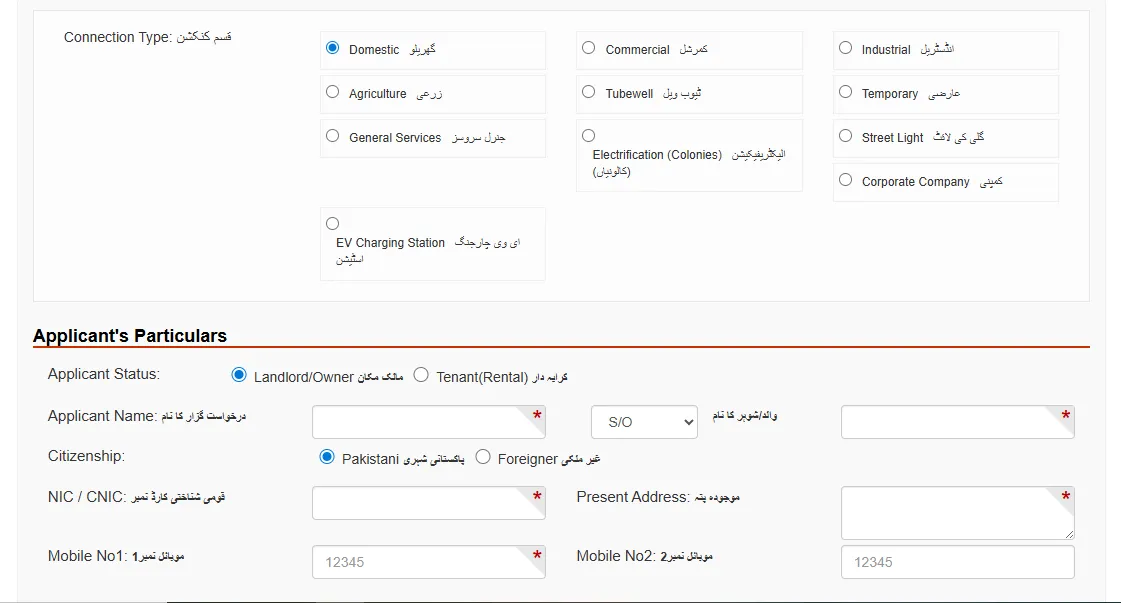
- Choose the connection type, such as domestic, commercial, industrial or agricultural.
- Fill in the applicant’s details: name, father’s or husband’s name, CNIC, address and mobile numbers.
- State whether you are the owner or a tenant. Tenants also enter the owner’s details.
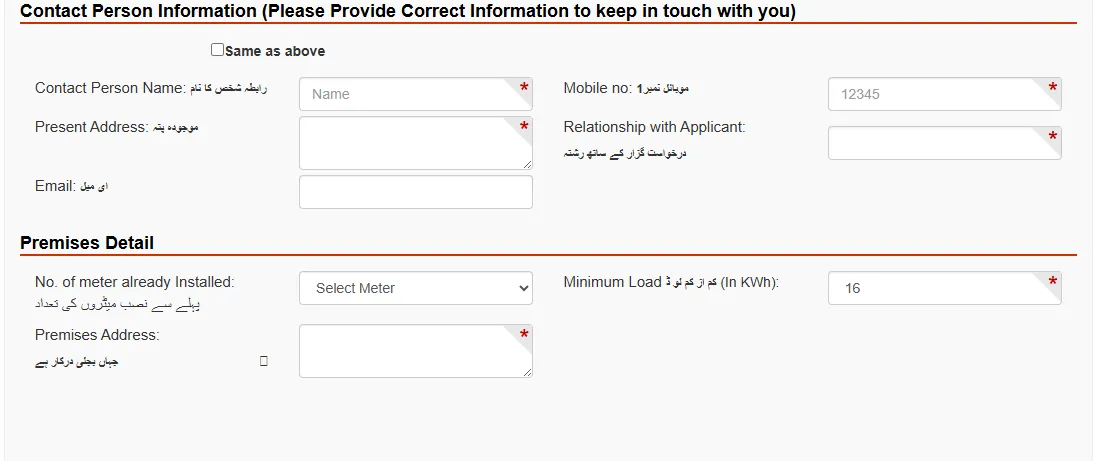
- Enter the premises details: address, any existing meters and the load you need.
- Upload the documents, accept the terms and submit. Note the application number.
What happens after you apply
- Site survey: staff visit to check the premises and whether a connection is feasible.
- Demand notice: if approved, you receive a demand notice with the connection charges and security deposit for your load.
- Payment: you pay the demand notice at a designated bank.
- Meter installation: the meter is installed and the connection energised.
You can follow the status on the ENC portal with your application number. The time taken varies with the area, the load requested and whether new lines or a transformer are needed.
Tips for a smooth application
- Make sure the name and CNIC match exactly on every document.
- Get the wiring test report before you apply.
- Ask for the load you actually need, as a higher load means higher charges.
- Pay the demand notice only through the bank named on the notice, and keep the receipt.
Frequently asked questions
Can a tenant apply?
Yes, with a no-objection certificate from the owner and the owner’s CNIC copy.
How much does a new connection cost?
It depends on the connection type and load. The exact amount is shown on the demand notice you receive after the survey.
Can I apply without a computer?
Yes. The portal works on a phone, or you can apply at a customer service centre.